Wanted: an underpinning model of organisational truth for the digital realm

Every so often I am privileged to spend a day in the company of fellow archivists and records managers to discuss fascinating topics that matter to our professional field. This happened recently at the University of Westminster Archives. Elaine Penn and Anna McNally organised a very good workshop on the subjects of appraisal and selection, especially in the context of born-digital records and archives. Do we need to rethink our ideas? We think we understand what they mean when applied to paper records and archives, but do we need to change or adapt when faced with their digital cousins?

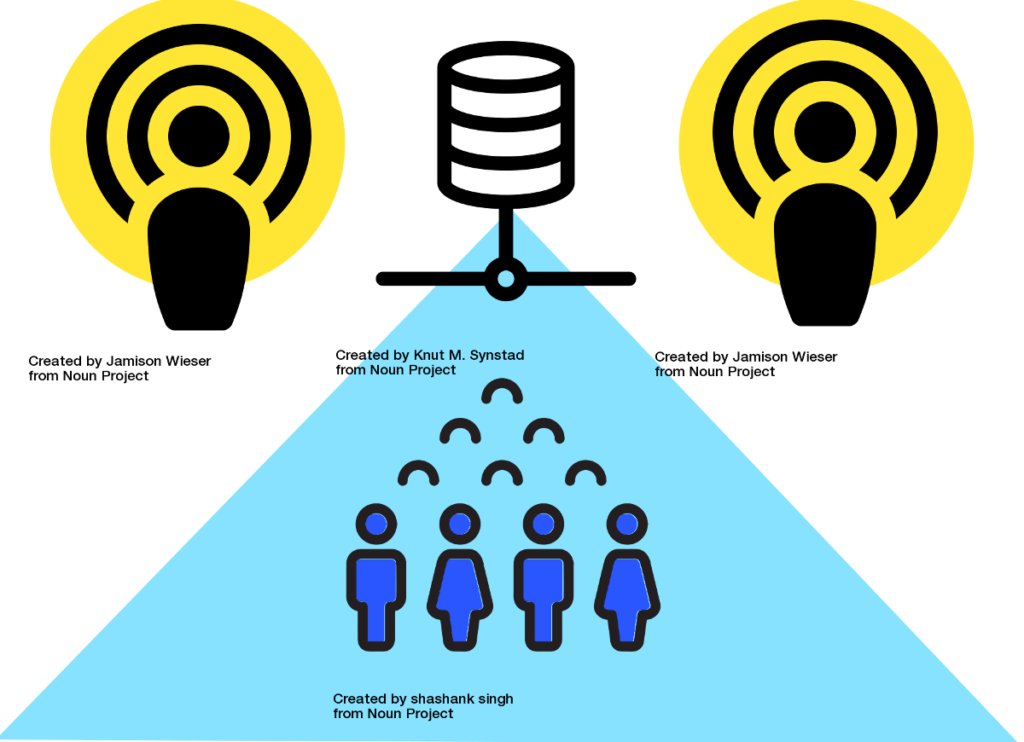
For my part I talked for 25 mins on a subject I’ve been reflecting on for years, i.e. early interventions, early transfer, and anything to bridge the “disconnect” that I currently perceive between three of the important environments, i.e. the live network, the EDRMS or record system, and digital preservation storage and systems. I’m still trying to get closer to some answers. One idea, which I worked up for this talk, was the notion of a semi-current digital storage service. I’m just at the wish-list stage, and my ideas have lots of troubling gaps. I’d love to hear more from people who are building something like this. A colleague who attended tells me that University of Glasgow may have built something that overlaps with my “vision” (though a more accurate description in my case might be “wishful thinking”).

When listening to James Lappin’s excellent talk on email preservation, I noted he invoked the names of two historical figures in our field – Jenkinson and Schellenberg. I would claim that they achieved models of understanding that continue to shape our thinking about archives and records management to this day. Later I wondered out loud what is it that has made the concepts of Provenance and Original Order so effective; they have longevity, to the extent they still work now, and they bring clarity to our work whether or not you’re a sceptic of these old-school notions (and I know a lot of us are). They have achieved the status of “design classics”.

I wonder if that effectiveness is not really about archival care, nor the lifecycle of the record, nor the creation of fonds and record series, but about organisational functions. Maybe Jenkinson and Schellenberg understood something about how organisations work; and maybe it was a profound truth. Maybe we like it because it gives us insights into how and why organisations create records in the first place, and how those records turn into archives. If I am right, it may account for why archivists and records managers are so adept at understanding the complexities of institutions, organisations and departments in ways which even skilled business managers cannot. The solid grounding in these archival principles has led to intuitive skills that can simplify complex, broken, and wayward organisations. And see this earlier post, esp. #2-3, for more in this vein.

What I would like is for us to update models like this for the digital world. I want an archival / records theory that incorporates something about the wider “truth” of how computers do what they do, how they have impacted on the way we all work as organisations, and changed the ways in which records are generated. My suspicion is that it can’t be that hard to see this truth; I sense there is a simple underlying pattern to file storage, networks and applications, which could be grasped if we only see it clearly, from the holistic vantage point where it all makes sense. Further, I think it’s not really a technical thing at all. While it would probably be useful for archivists to pick up some basic rudiments of computer science along with their studies, I think what I am calling for is some sort of new model, like those of Provenance and Original Order, but something that is able to account for the digital realm in a meaningful way. It has to be simple, it has to be clear, and it has to stand the test of time (at least, for as long as computers are around!).

I say this because I sometimes doubt that we, in this loose affiliation of experts called the “digital preservation community”, have yet to reach consensus on what we think digital preservation actually is. Oh, I know we have our models, our standards, systems, and tools; but we keep on having similar debates over what we think the target of preservation is, what we think we’re doing, why, how, and what it will mean in the future. I wonder if we still lack an underpinning model of organisational truth, one that will help us make sense of all the complexity introduced by information technology. We didn’t have these profound doubts before; and whether we like them or not, we all agree on what Jenkinson and Schellenberg achieved, and we understand it. The rock music writer Lester Bangs once wrote “I can guarantee you one thing: we will never again agree on anything as we agreed on Elvis”, noting the diversity of musical culture since the early days of rock and roll. Will we ever reach accord with the meaning of digital preservation?

PASIG17 reflections: archival storage and detachable AIPs

A belated reflection on another aspect of PASIG17 from me today. I wish to consider aspects of “storage” which emerged from the three days of the conference.

One interesting one was the Queensland Brain Institute case study, where they are serving copies of brain scan material to researchers who need it. This is bound to be of interest to those managing research data in the UK, not least because the scenario described by Christian Vanden Balck of Oracle involved such large datasets and big files – 180 TB ingested per day is just one scary statistic we heard. The tiered storage approach at Queensland was devised exclusively to preserve and deliver this content; I wouldn’t have a clue how to explain it in detail to anyone, let alone know how to build it, but I think it involves a judicious configuration and combination of “data movers, disc storage, tape storage and remote tape storage”. The outcomes that interests me are strategic: it means the right data is served to the right people at the right time; and it’s the use cases, and data types, that have driven this highly specific storage build. We were also told it’s very cost-effective, so I assume that means that data is pretty much served on demand; perhaps this is one of the hallmarks of good archival storage. It’s certainly the opposite of active network storage, where content is made available constantly (and at a very high cost).

Use cases and users have also been at the heart of the LOCKSS distributed storage approach, as Art Pasquinelli of Stanford described in his talk. I like the idea that a University could have its own LOCKSS box to connect to this collaborative enterprise. It was encouraging to learn how this service (active since the 1990s) has expanded, and it’s much more than just a sophisticated shared storage system with multiple copies of content. Some of the recent interesting developments include (1) more content types admissible than before, not just scholarly papers. (2) Improved integration with other systems, such as Samvera (IR software) and Heritrix (web-archiving software); this evidently means that if it’s in a BagIt or WARC wrapper, LOCKSS can ingest it somehow. (3) Better security; the claim is that LOCKSS is somehow “tamper-resistant”. Because of its distributed nature, there’s no single point of failure, and because of the continual security checks – the network is “constantly polling” – it is possible for LOCKSS to somehow “repair” data. (By the way I would love to hear more examples and case studies of what “repairing data” actually involves; I know the NDSA Levels refer to it explicitly as one of the high watermarks of good digital preservation.)

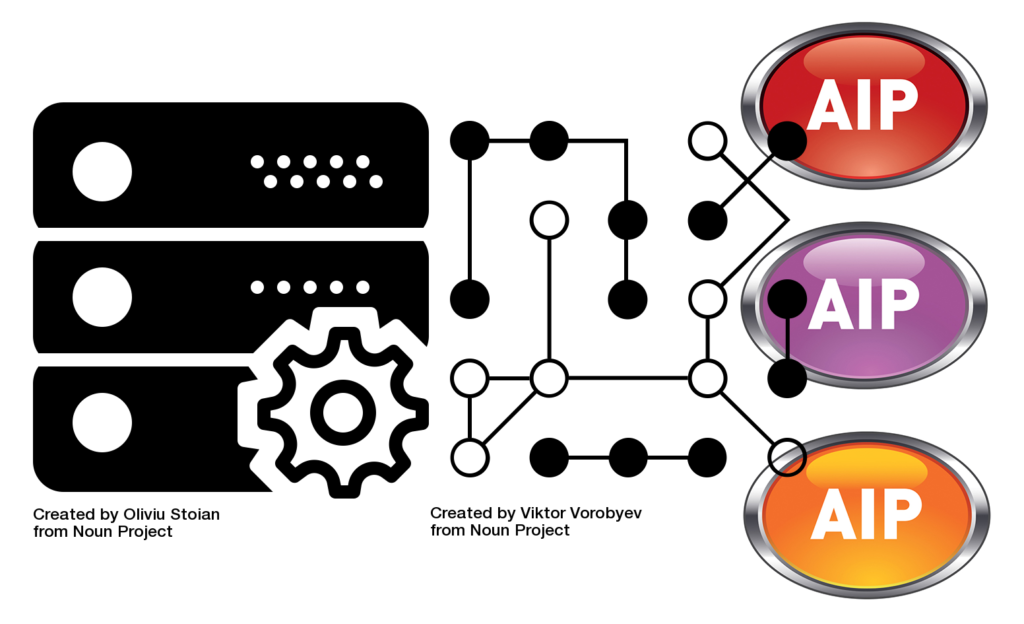
In both these cases, it’s not immediately clear to me if there’s an Archival Information Package (AIP) involved, or at least an AIP as the OAIS Reference Model would define it; certainly both instances seem more complex and dynamic to me than the Reference Model has proposed. For a very practical view on AIP storage, there was the impromptu lightning-talk from Tim Gollins of National Records of Scotland. Although a self-declared OAIS-sceptic, he was advocating that we need some form of “detachable AIP”, an information package that contains the payload of data, yet is not dependent on the preservation system which created it. This pragmatic line of thought probably isn’t too far apart from Tim’s “Parsimonious Preservation” approach; he’s often encouraging digital archivists to think in five-year cycles, linked to procurement or hardware reviews.

Tim’s expectation is that the digital collection must outlive the construction in which it’s stored. The metaphor he came up with in this instance goes back to a physical building. A National Archive can move its paper archives to another building, and the indexes and catalogues will continue to work, allowing the service to continue. Can we say the same about our AIPs? Will they work in another system? Or are they dependent on metadata packages that are inextricably linked to the preservation system that authored them? What about other services, such as the preservation database that indexes this metadata?

WIth my “naive user” hat on, I suppose it ought to be possible to devise a “standard” wrapper whose chief operator is the handle, the UUID, which ought to work anywhere. Likewise if we’re all working to standard metadata schemas, and formats (such as XML or json) for storing that metadata, then why can’t we have detachable AIPs? Tim pointed out that among all the vendors proposing preservation systems at PASIG, not one of them agreed on the parameters of such important stages as Ingest, data management, or migration; and by parameters I mean when, how, and where it should be done, and which tools should be used.

The work of the E-ARK project, which has proposed and designed standardised information packages and rules to go with them, may be very germane in this case. I suppose it’s also something we will want to consider when framing our requirements before working with any vendor.

PASIG17 reflections: Sheridan’s disruptive digital archive

I was very interested to hear John Sheridan, Head of Digital at The National Archives, present on this theme. He is growing new ways of thinking about archival care in relation to digital preservation. As per my previous post, when these phrases occur in the same sentence then you have my attention. He has blogged about the subject this year (for the Digital Preservation Coalition), but clearly the subject is becoming deeper all the time. Below, I reflect on three of the many points that he makes concerning what he dubs the “disruptive digital archive”.

The paper metaphor is nearing end of life

Sheridan suggests “the deep-rooted nature of paper-based thinking and its influence on our thinking” needs to change and move on. “The archival catalogue is a 19th century thing, and we’ve taken it as far as we can in the 20th century”.

I love a catalogue, but I still agree; and I would extend this to electronic records management. And here I repeat an idea stated some time ago by Andrew Wilson, currently working on the E-ARK project. We (as a community) applied a paper metaphor when we built file plans for EDRM systems, and this approach didn’t work out too well. That approach requires a narrow insistence on single locations for digital objects, locations exactly matching against the retention needs of each object. Not only is this hard work for everyone who has to do “electronic filing”, it proved not to work in practice. It’s one-dimensional, and it stems from the grand error of the paper metaphor.

I would still argue there’d be a place in digital preservation for sorting and curation, “keeping like with like” in directories, though I wouldn’t insist on micro-managing it; and, as archivists and records managers we need to make more use of two things computers can do for us.

One of them is linked aliases; allowing the possibility for digital content sitting permanently in one place on the server, mostly likely in an order that has nothing to do with “original order”, while aliased links, or a METS catalogue, do the work of presenting a view of the content based on a logical sequence or hierarchy, one that the archivist, librarian, and user are happy with. In METS for instance, this is done with the <FLocat> element.

The second one is making use of embedded metadata in Office documents and emails. Though it’s not always possible to get these properties assigned consistently and well, doing so would allow us to view / retrieve / sort materials in a more three-dimensional manner, which the single directory view doesn’t allow us to do.

I dream of a future where both approaches will apply in ways that allow us these “faceted views” of our content, whether that’s records or digital archives.

Get over the need for tidiness

“We are too keen to retrofit information into some form of order,” said Sheridan. “In fact it is quite chaotic.” That resonates with me as much as it would with my other fellow archivists who worked on the National Digital Archive of Datasets, a pioneering preservation service set up by Kevin Ashley and Ruth Vyse for TNA. When we were accessioning and cataloguing a database – yes, we did try and catalogue databases – we had to concede there is really no such thing as an “original order” when it comes to tables in a relational database. We still had to give them ISAD(G) compliant citations, so some form of arrangement and ordering was required, but this is a limitation of ISAD(G), which I still maintain is far from ideal when it comes to describing born-digital content.

I accept Sheridan’s chaos metaphor…one day we will square this circle; we need some new means of understanding and performing arrangement that is suitable for the “truth” of digital content, and that doesn’t require massive amounts of wasteful effort.

Trust

Sheridan’s broad message was that “we need new forms of trust”. I would say that perhaps we need to embrace both new forms and old forms of trust.

In some circles we have tended to define trust in terms of the checksum – exclusively defining trust as a computer science thing. We want checksums, but they only prove that a digital object has not changed; they’re not an absolute demonstration of its trustworthiness. I think Somaya Langley has recently articulated this very issue in the DP0C blog, though I can’t find the reference just now.

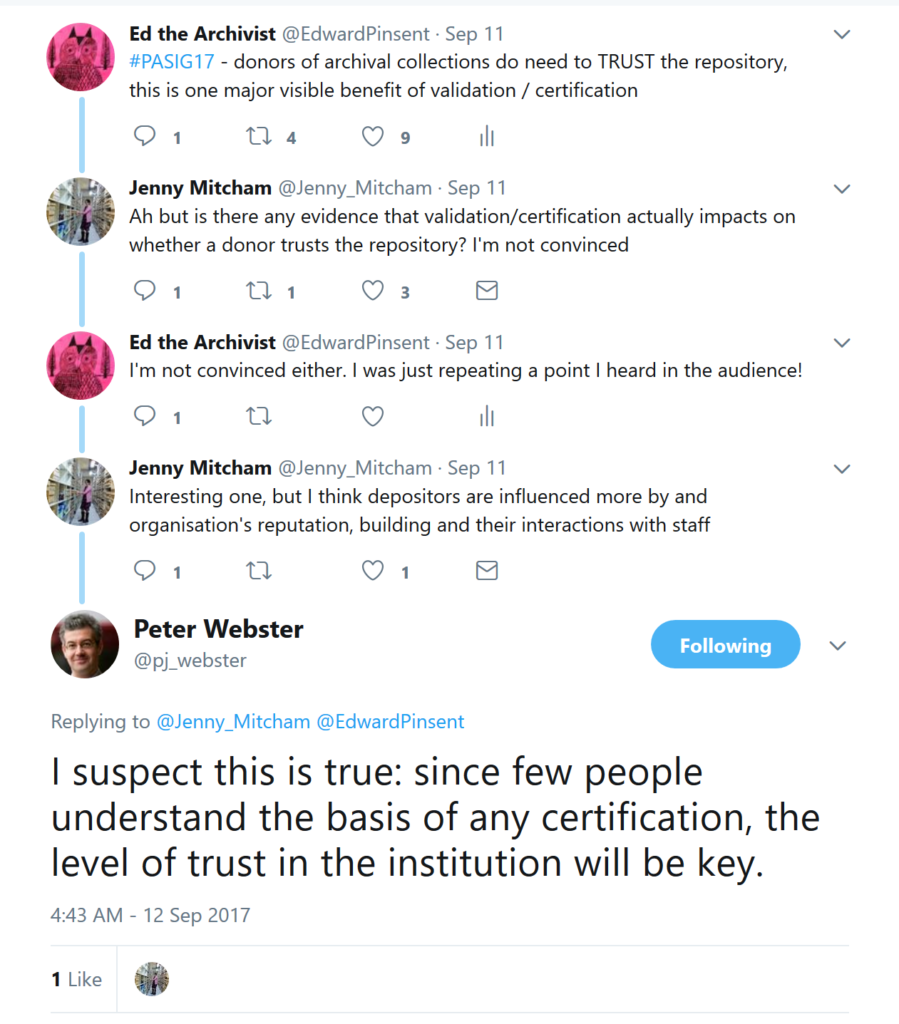
Elsewhere, we have framed the trust discussion in terms of the Trusted Digital Repository, a complex and sometimes contentious narrative. One outcome has been that to demonstrate trust, an expensive overhead in terms of certification tick-boxing is required. It’s not always clear how this exercise demonstrates trust to users…see the Twitter snippet below.

Me, I’m a big fan of audit trails – and not just PREMIS, which only audits what happens in the repository. I think every step from creation to disposal should be logged in some way. I often bleat about rescuing audit trails from EDRM systems and CMS systems. And I’d love to see a return to that most despised of paper forms, the Transfer List, expressed in digital form. And I don’t just mean a manifest, though I like them too.

Lastly, there’s supporting documentation. We were very strong on that in the NDAD service too, a provision for which I am certain we have Ruth Vyse to thank. We didn’t just ingest a dataset, but also lots of surrounding reports, manuals, screenshots, data dictionaries, code bases…anything that explained more about the dataset, its owners, its creation, and its use. Naturally our scrutiny also included a survey of the IT environment that was needed to support the database in its original location.

All of this documentation, I believe, goes a long way to engendering trust, because it demonstrates the authenticity of any given digital resource. A single digital object can’t be expected to demonstrate this truth on its own account; it needs the surrounding contextual information, and multiple instances of such documentation give a kind of “triangulation” on the history. This is why the archival skill of understanding, assessing and preserving the holistic context of the resource continues to be important for digital preservation.

Conclusion

Sheridan’s call for “disruption” need not be heard as an alarmist cry, but there is a much-needed wake-up call to the archival profession in his words. It is an understatement to say that the digital environment is evolving very quickly, and we need to respond to the situation with equal alacrity.

PASIG17 reflections: archivist skills & digital preservation

Any discussion that includes “digital preservation” and “traditional archivist skills” in the same sentence always interests me. This reflects my own personal background (I trained as an archivist) but also my conviction that the skills of an archivist can have relevance to digital preservation work.

I recently asked a question along these lines after I heard Catherine Taylor, the archivist for Waddesdon Manor, give an excellent presentation at the PASIG17 Conference this month. She had started life as the paper archivist and has evidently grown into the role of digital archivist with great success. Her talk was called “We can just keep it all can’t we?: managing user expectations around digital preservation and access”.

We can’t find our stuff

As Taylor told it, she was a victim of her own success; staff always depended on her to find (paper) documents which nobody else could find. The same staff apparently saw no reason why they couldn’t depend on her to find that vital email, spreadsheet, or Word document. To put it another way, they expected the “magic” of the well-organised archive to pass directly into a digital environment. My guess is that they expected that “magic” to take effect without anyone lifting a finger or expending any effort on good naming, filing, or metadata assignment. But all of that is hard work.

What’s so great about archivists?

My question to Catherine was to do with the place of archival skills in digital preservation, and how I feel they can sometimes be neglected or overlooked in many digital preservation projects. Possible scenario is that the “solution” we purchase is an IT system, so its implementation is in the hands of IT project managers. Archivists might be consulted as project suppliers; more often, I fear they are ignored, or don’t speak up.

Catherine’s reply affirmed the value of such skills as selection and appraisal, which she believes have a role to play in assessing the overload of digital content and reducing duplication.

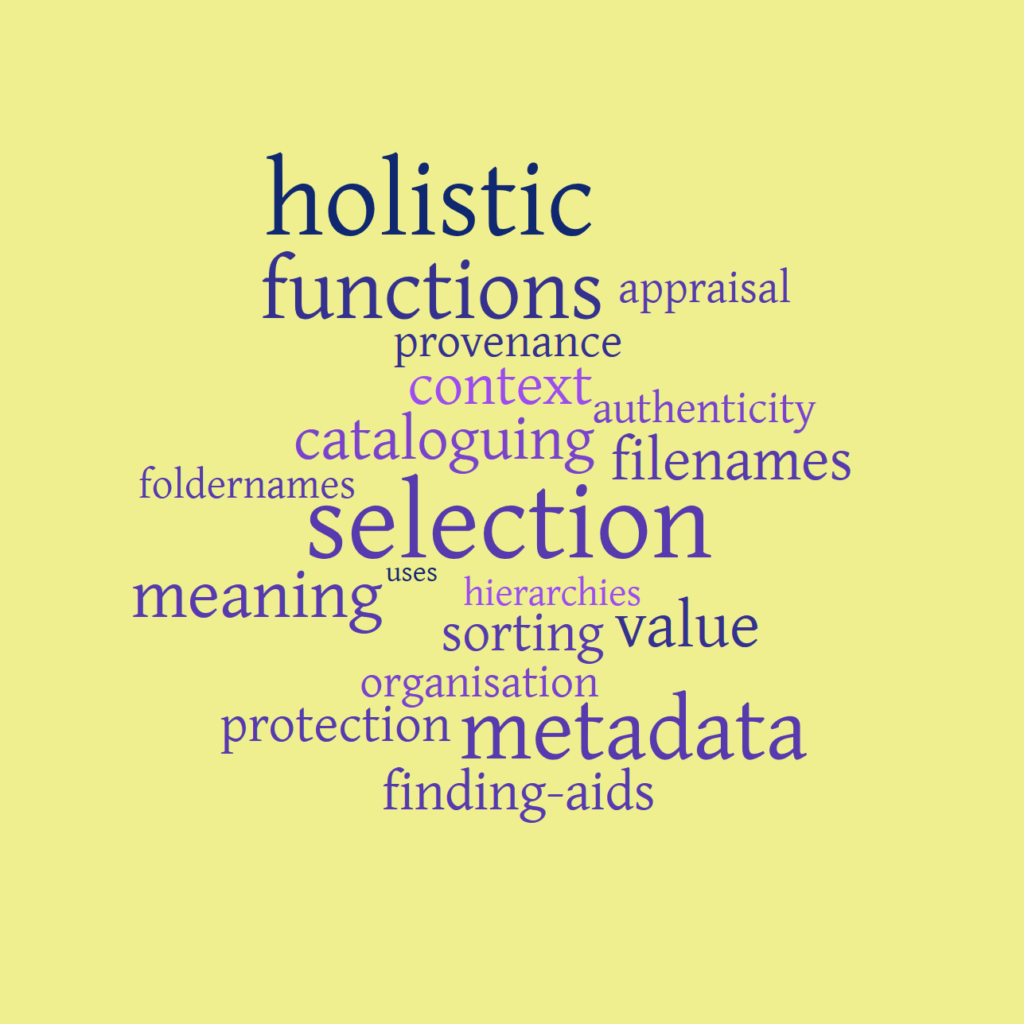
After the conference, I wondered to myself what other archival skills or weapons in the toolbox might help with digital preservation. A partial tag cloud might look like this:

We’ve got an app for that

What tools and methods do technically-able people reach for to address issues associated with the “help us to find stuff” problem? Perhaps…

  • Automated indexing of metadata, where the process is operated by machines on machine-readable text.
  • Using default metadata fields – by which I mean properties embedded in MS Word documents. These can be exposed, made sortable and searchable; SharePoint has made a whole “career” out of doing that.
  • Network drives managed by IT sysadmins alone – which can include everything from naming to deletion (but also backing up, of course).
  • De-duplication tools that can automatically find and remove duplicate files. Very often, they’re deployed as network management tools and applied to resolve what is perceived as a network storage problem. The way they work is based on recognition of checksum matches or similar rules.
  • Search engines – which may be powerful, but not very effective if there’s nothing to search on.
  • Artificial Intelligence (AI) tools which can be “trained” to recognise words and phrases, and thus assist (or even perform) selection and appraisal of content on a grand scale.

Internal user behaviours

There are some behaviours of our beloved internal staff / users which arguably contribute to the digital preservation problem in the long-term. They could all be characterised as “neglect”. They include:

  • Keeping everything – if not instructed to do otherwise, and there’s enough space to do so.
  • Free-spirited file naming and metadata assignment.
  • Failure to mark secure emails as secure – which is leading to a retrospective correction problem for large government archives now.

I would contend that a shared network run on an IT-only basis, where the only management and ownership policies come from sysadmins, is likely to foster such neglect. Sysadmins might not wish to get involved in discussions of meaning, context, or use of content.

How to restore the “magic”?

I suppose we’d all love to get closer to a live network, EDRMS, or digital archive where we can all find and retrieve our content. A few suggestions occur to me…

  • Collaboration. No archivist can solve this alone, and the trend of many of the talks at PASIG was to affirm that collaboration between IT, storage, developers, archivists, librarians and repository managers is not only desirable – it is in fact the only way we’ll succeed now. This might be an indicator of how big the task is ahead of us. The 4C Project said as much.
  • Archivists must change and grow. Let’s not “junk” our skillsets; for some reason, I fear that we are encouraged not to tread on IT ground, start to assume that machines can do everything we can do, and that our training is worthless. Rather, we must engage with what IT systems, tools and applications can do for us, how they can help us realise the results in that word cloud.
  • Influence and educate staff and other users. And if we could do it in a painless way, that would be one miracle cure that we’re all looking for. On the other hand, Catherine’s plan to integrate SharePoint with Preservica (with the help of the latter) is one move in the right direction: for one thing, she’s finding that the actual location of digital objects doesn’t really matter to users, so long as the links work. For reasons I can’t articulate right now, this strikes me as a significant improvement on a single shared drive sitting in a building.

Conclusion

I think archivists can afford to assert their professionalism, make their voice a little louder, where possible stepping in at in all stages of the digital preservation narrative; at the same time, we mustn’t cling to the “old ways”, rather start to discover ways in which we can update them. John Sheridan of The National Archives has already outlined an agenda of his own to do just this. I would like to see this theme taken up by other archivists, and propose a strand along these lines for discussion at the ARA Conference.

When is it a good time for a file format migration?

I used to teach a one-day course on file format migration. The course advanced the idea that migration, although one of the oldest and best-understood methods of enacting digital preservation, can still carry risks of loss. To mitigate that loss, we want to make a case for use cases and acceptance criteria – good old-fashioned planning, in short.

When would it be a good time to migrate a file? And when would it be good not to migrate, or at any rate defer the decision? We can think of some plausible scenarios, and will discuss them briefly below.

We think the community has moved on now from its earlier line of thought, which was along the lines of “migrate as soon as possible, ideally at point of ingest” – the risks of careless migrations are hopefully better understood now, and we don’t want to rush into a bad decision. That said, some digital preservation systems still have an automated migration action built into the ingest routine.

Do migrate if: 

  • You don’t trust the format of the submission. The depositor may have sent you something in an obscure, obsolete, or unsupported file format. A scenario like this is likely to involve a private depositor, or an academic who insists on working in their “special” way. Obsolescence (or the imminent threat of it) is a well-established motivator for bringing out the conversion toolkit, though there are some who would disagree.
  • Your archive/repository works to a normalisation policy. This means that you tend to limit the number of preservation formats you work with, so you convert all ingests to the standard set which you support. The policy might be to migrate all Microsoft products to their Open Office equivalent. Indeed, this rule is built into Xena, the open-source tool from National Archives of Australia. Normalisation may have a downside, but it can create economies in how many formats you need to commit to supporting, and may go some way to “taming” wild deposits that arrive in a variety of formats.
  • You want to provide access to the content immediately. This means creating an access copy of the resource, for instance by migrating a tiff image to a jpeg. Some would say this doesn’t really qualify as migration, but it does involve a re-encoding action, which is why we mention it. It might be that this access copy doesn’t have to meet the same high standards as a preservation copy.

Don’t migrate if: 

  • The format of the resource is already stored in a quality format. The deposit you are ingesting may already be encoded in a format that is widely accepted as meeting a preservation standard, in which case migration is arguably not necessary. To ascertain this and verify the format, use DROID or other identification tools. To learn about preservation standard formats, start with the Library of Congress resource Sustainability of Digital Formats.
  • There is no immediate need for you to migrate. In this scenario, you fear that the ingested content’s format may become obsolete one day, but your researches (starting with the PRONOM online registry) indicate that the risk is some way off – maybe even 10-15 years away. In which case deferring the migration is your best policy. Be sure to add a “note to self” in the form of preservation metadata about this decision, and a trigger date in your database that will remind you to take action.
  • You want to migrate, but currently lack the IT skills. To this scenario we could add “you lack the tools to do migration” or even “you lack a suitable destination format”. You’ve made a search on COPTR and still come up empty. Through no fault of your own, technology has simply not yet found a reliable way to migrate the format you wish to preserve, and a tool for migration does not exist. In this instance, don’t wait for the solution – put the content into preservation storage, with a “note to self” (see above) that action will be taken at some point when the technology, tools, skills, and formats are available.
  • You have no preservation plan. This refers to your over-arching strategy which governs your approach to doing digital preservation. Part of it is an agreed action plan for what you will do when faced with particular file formats, including a detailed workflow, choice of conversion tool, and clear rationale for why you’re doing it that way. Ideally, in compiling this action plan, you will have understood the potential losses that migration can cause to the content, and the archivist (and the organisation) have signed off on how much of a “hit” is acceptable. Without a plan like this, you’re at risk of guessing which is the best migration pathway, and your decisions end up being guided by the tools (which are limited) rather than your own preservation needs.

The meaning of the term Archive

In this blog post I should like to disambiguate uses of the word “archive”. I have found the term is often open to misunderstandings and misinterpretation. Since I come from a traditional archivist background, I will begin with a definition whose meaning is clear to me.

At any rate, it is a definition that pre-dates computers, digital content, and the internet; the arrival of these agencies has brought us new, ambiguous meanings of the term. Some instances of this follow below. In each instance, I will be looking for whether these digital “archives” imply or offer “permanence”, a characteristic I would associate with a traditional archive. 

    1. In the paper world: an archive is any collection of documents needed for long-term preservation, e.g. for historical, cultural heritage, or business purposes. It can also mean the building where such documents are permanently stored, in accordance with archival standards, or even the memory Institution itself (e.g. The National Archives).
    2. In the digital world: a “digital archive” ought to refer to a specific function of a much larger process called digital preservation. This offers permanent retention, managed storage, and a means of keeping content accessible in the long term. The organisation might use a service like this for keeping content that has no current business need, but it still needed for historical or legal reasons.  Therefore, the content is no longer held on a live system.
      The OAIS Reference Model devised the term “Archival Storage” for describing this, and call it a Functional Entity of the Model; this means it can apply to the function of the organisation that makes this happen, the system that governs it, or the servers where the content is actually stored. More than just storage, it requires system logging, validation, and managed backups on a scale and frequency that exceeds the average network storage arrangement. The outcome of this activity is long-term preservation of digital content.
    3. In the IT world: a sysadmin might identify a tar, zip or gz file as an “archive”. This is an accumulation of multiple files within a single wrapper. The wrapper may or may not perform a compression action on the content. The zipped “archive” is not necessarily being kept; the “archiving” action is the act of doing the zipping / compression.
    4. On a blog: a blog platform, such as WordPress or Google Blogger, organises its pages and posts according to date-based rules. WordPress automatically builds directories to store the content in monthly and annual partitions. These directories are often called “archives”, and the word itself appears on the published blog page. In this context the word “archives” simply designates “non-current content”, in order to distinguish it from this month’s current posts. This “archive” is not necessarily backed up, or preserved; and in fact it is still accessible on the live blog.
    5. In network management: the administrator backs up content from the entire network on a regular basis. They might call this action “archiving”, and may refer to the data, the tapes/discs on which the data are stored, or even the server room as the “archive”. In this instance, it seems to me the term is used to distinguish the backups from the live network. In case of a fail (e.g. accidental data deletion, or the need for a system restore), they would retrieve the lost data from the most recent “archive”. However: none of these “archives” are ever kept permanently. Rather, they are subject to a regular turnover and refreshment programme, meaning that the administrator only ever retains a few weeks or months of backups.
    6. Cloud storage services may offer services called “Data Archive” or “Cloud Archive”. In many cases this service performs the role of extended network storage, except that it might be cheaper than storing the data on your own network. Your organisation also might decide to use this cheaper method to store “non-current” content. In neither case is the data guaranteed to be preserved permanently, unless the provider explicitly states it is, or the provider is using cloud storage as part of a larger digital preservation approach.
    7. For emails: In MS Outlook, there is a term called AutoArchive. When run, this routine will move emails to an “archive” directory, based on rules (often associated with the age of the email) which the user can configure. The action also does a “clear out”, i.e. a deletion, of expired content, again based on rules. There is certainly no preservation taking place. This “AutoArchive” action is largely about moving email content from one part of the system to another, in line with rules. I believe a similar principle has been used to “archive” a folder or list in SharePoint, another Microsoft product. Some organisations scale up this model for email, and purchase enterprise “mail archiving” systems which apply similar age-based rules to the entire mail server. Unless explicitly applied as an additional service, there is no preservation taking place, just data compression to save space.

    To summarise:

    • The term “archive” has been used in a rather diffuse manner in the IT and digital worlds, and can mean variously “compression”, “aggregated content”, “backing up”, “non-current content”, and “removal from the live environment”. While useful and necessary, none of these are guaranteed to offer the same degree of permanence as digital preservation. Of these examples, only digital preservation (implementation of which is a complex and non-trivial task) offers permanent retention, protection, and replayability of your assets.
    • If you are an archivist, content owner, or publisher: when dealing with vendors, suppliers, or IT managers, be sure you take the time to discuss and understand what is meant by the term “archive”, especially if you’re purchasing a service that includes the term in some way.

How to capture and preserve electronic newsletters in HE and beyond

This blog post is based on a real-world case study. It happens to have come from a UK Higher Education institute, but the lessons here could feasibly apply to anyone wishing to capture and preserve electronic newsletters.

The archivist reported that the staff newsletter started to manifest itself in electronic form “without warning”. Presumably they’d been collecting the paper version successfully for a number of years, then this change came along. The change was noticed when the archivist (and all staff) received the Newsletter in email form. The archivist immediately noticed the email was full of embedded links, and pictures. If this was now the definitive and only version of the newsletter, how would they capture it and preserve it?

I asked the archivist to send me a copy of the email, so I could investigate further.

It turns out the Newsletter in this case is in fact a website, or a web-based resource. It’s being hosted and managed by a company called Newsweaver, a communications software company who specialise in a service for generating electronic newsletters, and providing means for their dissemination. They do it for quite a few UK Universities; for instance, the University of Manchester resource can be seen here. In this instance, the email noted above is simply a version of the Newsletter page, slightly recast and delivered in email form. By following the links in the example, I was soon able to see the full version of that issue of the Newsletter, and indeed the entire collection (unhelpfully labelled an “archive” – but that’s another story).

What looked at first like it might be an email capture and preserve issue is more likely to be a case calling for a web-archiving action. Only through web-archiving would we get the full functionality of the resource. The email, for instance, contains links labelled “Read More”, which when followed take us to the parent Newsweaver site. If we simply preserved the email, we’d only have a cut-down version of the Newsletter; more importantly, the links would not work if Newsweaver.com became unavailable, or changed its URLs.

Since I have familiarity with using the desktop web-archiving tool HTTrack, I tried an experiment to see if I could capture the online Newsletter from the Newsweaver host. My gather failed first time, because the resource is protected by the site robots (more on this below), but a second gather worked when I instructed the web harvester to ignore the robots.txt file.

My trial brought in about 500-600MB of content after one hour of crawling – there is probably more content, but I decided to terminate it at that point. I now had a working copy of the entire Newsletter collection for this University. In my version, all the links work, the fonts are the same, the pictures are embedded. I would treat this as a standalone capture of the resource, by which I mean it is no longer dependent on the live web, and works as a collection of HTML pages, images and stylesheets, and can be accessed and opened by any browser.

Of course, it is only a snapshot. A capture and archiving strategy would need to run a gather like this on a regular basis to be completely successful, to capture the new content as it is published. Perhaps once a year would do it, or every six months. If that works, it can be the basis of a strategy for the digital preservation of this newsletter.

Such a strategy might evolve along these lines:

  • Archivist decides to include electronic newsletters in their Selection Policy. Rationale: the University already has them in paper form. They represent an important part of University history. The collection should continue for business needs. Further, the content will have heritage value for researchers.
  • University signs up to this strategy. Hopefully, someone agrees that it’s worth paying for. The IT server manager agrees to allocate 600MB of space (or whatever) per annum for the storage of these HTTrack web captures. The archivist is allocated time from an IT developer, whose job it is to programme HTTrack and run the capture on a regular basis.
  • The above process is expressed as a formal workflow, or (to use terms an archivist would recognise) a Transfer and Accession Policy. With this agreement, names are in the frame; tasks are agreed; dates for when this should happen are put into place. The archivist doesn’t have to become a technical expert overnight, they just have to manage a Transfer / Accession process like any other.
  • Since they are “snapshots”, the annual web crawls could be reviewed – just like any other deposit of records. A decision could be made as to whether they all need to be kept, or whether it’s enough to just keep the latest snapshot. Periodic review lightens the burden on the servers.

This isn’t yet full digital preservation – it’s more about capture and management. But at least the Newsletters are not being lost. Another, later, part of the strategy is for the University to decide how it will keep these digital assets in the long-term, for instance in a dedicated digital preservation repository – a service which they University might not be able to provide themselves, or even want to. But it’s a first step towards getting the material into a preservable state.

There are some other interesting considerations in this case:

The content is hosted by Newsweaver, not by the University. The name of the Institution is included in the URL, but it’s not part of the ac.uk estate. This means that an intervention is most certainly needed, if the University wants to keep the content long-term. It’s not unlike the Flickr service, who merely act as a means of hosting and distributing your content online. For the above proposed strategy to work, the archivist would probably need to speak to Newsweaver, and advise them of the plan to make annual harvests. There would need to be an agreement that robots.txt is disabled or ignored, or the harvest won’t work. There may be a way to schedule the harvest at an ideal time that won’t put undue stress on the servers.

Newsweaver might even wish to co-operate with this plan; maybe they have a means for allowing export of content from the back-end system that would work just as well as tis pull-gather method, but then it’s likely the archivist would need additional technical support to take it further. I would be very surprised if Newsweaver claimed any IP or ownership of the content, but it would be just as well to ascertain what’s set out in the contract with the company. This adds another potential stakeholder to the mix: the editorial team who compile the University Newsletter in the first place.

Operating HTTrack may seem like a daunting prospect to an archivist. There is a simpler option, which would be to use PDFs as a target format for preservation. One approach would be to print the emails to PDFs, an operation which could be done direct from the desktop with minimal support, although a licensed copy of Adobe Acrobat would be needed. Even so, the PDF version would disappoint very quickly; the links wouldn’t work as standalone links, and would point back to the larger Newsweaver collection on the live web. That said, a PDF version would look exactly like the email version, and PDF would be more permanent than the email format.

The second PDF approach would be to capture pages from Newsweaver using Acrobat’s “Create PDF from Web Page” feature. This would yield a slightly better result than the email option above, but the links would still fail. For the full joined-up richness of the highly cross-linked Newsletter collection, web-archiving is still the best option.

To summarise the high-level issues, I suggest an Archivist needs to:

  • Define the target of preservation. In this case we thought it was an email at first, but it turns out the target is web content hosted on a domain not owned by the University.
  • Define the aspects of the Newsletter which we want to survive – such as links, images, and stylesheets.
  • Agree and sign off a coherent selection policy and transfer procedure, and get resources assigned to the main tasks.
  • Assess the costs of storing these annual captures, and tell your IT manager what you need in terms of server space.

If there’s a business case to be made to someone, the first thing to point out is the risk of leaving this resource in the hands of Newsweaver, who are great at content delivery, but may not have a preservation policy or a commitment to keep the content beyond the life of the contract.

This approach has some value as a first step towards digital preservation; it gets the archivist on the radar of the IT department, the policy owners, and finance, and wakes up the senior University staff to the risks of trusting third-parties with your content. Further, if successful, it could become a staff-wide policy that individual recipients of the email can, in future, delete these in the knowledge that the definitive resource is being safely captured and backed up.

Dynamic links – what do they mean for digital preservation?

Today I’d like to think about the subject of dynamic links. I’m hoping to start off in a document management context, but it also opens up questions from a digital preservation point of view.

Very few of the ideas here are my own. Last December I heard Barbara Reed of Recordkeeping Innovation Pty Ltd speaking at the Pericles Conference Acting on Change: New Approaches and Future Practices in Digital Preservation, and on a panel about the risk assessment of complex objects. She made some insightful remarks that very much resonated with me.

She described dynamic links, or self-referential links, as machine-readable links. These are now very common to many of us, particularly if we’re choosing to work in a cloud-based environment, such as Google Drive, or more recently Office 365 or SharePoint.

These environments greatly facilitate the possibility of creating a dynamic link to a resource – and share that link with others, e.g. colleagues in your organisation, or even external partners. It’s a grand way to enable and speed up collaboration. On a drive managed by Windows Explorer, the limitation was we could only open one document at a time; collaborators often got the message “locked for editing by another user”. With these new environments, multiple editors can work simultaneously, and dynamic links help to manage it.

Dynamic links don’t always depend on cloud storage of course, and I suppose we can manage dynamic links just as well in our own local network. Spreadsheets can link to other documents, and links can be held in emails.

Well, it seems there might be a weakness in this way of working. Reed said that these kind of links only work if the objects stay in the same place. It’s fine if nothing changes, but the server configuration can affect that “same place”, such as the network store, quite drastically.

If that is true, then the very IT architecture itself can be a point of failure. “Links are great,” said Reed, “but they presume a stable architecture.”

Part of the weakness could be the use of URLs for creating and maintaining these links. Reed said she has worked in places where there are no protocols for unique identifiers (UIDs), and instead it was more common to use URLs, which are based on storage location.

The problem scales up to larger systems, such as an Electronic Document and Records Management System (EDRMS), and to digital repositories generally. Many an EDRMS anticipates sharing and collaboration when working with live documents, and may have a built-in link generator for this purpose.

But when a resource is moved out of its native environment, you run the risk of breaking the links. Vendors of systems often have no procedure for this, and will simply recommend a redirect mechanism. We can’t seem to keep / preserve this dynamism. “This is everyone’s working environment now,” said Reed, “and we have no clear answer.”

There is a glimmer of hope though, and it seems to involve using UUIDs instead of URLs. I wanted to understand this a bit better, so I did a small amount of research as part of a piece of consultancy I was working on; very coincidentally, the client wanted a way to maintain the stability of digital objects migrated out of an EDRMS into a digital preservation repository.

URLs vs UUIDs

From what I understand, URLs and UUIDs are two fundamentally different methods of identifying and handling digital material. The article On the utility of identification schemes for digital earth science data: an assessment and recommendations (Duerr, R.E., Downs, R.R., Tilmes, C. et al. Earth Sci Inform (2011) 4: 139. doi:10.1007/s12145-011-0083-6), offers the following definitions:

A Uniform Resource Identifier (URI, or URL) is a naming and addressing technology that uses “a compact sequence of characters to identify” World Wide Web resources.

A Universally Unique Identifier (UUID) is a number that is 16-bytes (128-bits), as specified by the Open Software Foundation’s Distributed Computing Environment. A UUID contains 36 characters, of which 32 are hexadecimal digits that are arranged, as 5 hyphenated groups, for example:

0a9ecf4f-ab79-4b6b-b52a-1c9d4e1bb12f 

As I would understand it, this is how it applies to the subject at hand:

URLs – which is what dynamic links tend to be expressed as – will only continue to work if the objects stay in the same places, and there is a stable environment. Server configuration is one profound change that can affect this.

UUIDs are potentially a more stable way of managing locations, and require less maintenance while ensuring integrity. According to the article:

“An organization that chooses to use URIs as its identifiers will need to maintain the web domain, manage the structure of the URIs and maintain the URL redirects (Cox et al. 2010) for the long-term.” 

“Unlike DOIs or other URL-based identification schemes, UUIDs do not need to be recreated or maintained when data is migrated from one location to another.” 

What this means for digital preservation 

I think it means that digital archivists need to understand this basic difference between URLs and UUIDs, especially when communicating their migration requirements to a vendor or other supplier. Otherwise, there is a risk that this requirement will be misunderstood as a simple redirection mechanism, which it isn’t. For instance, I found online evidence that one vendor offering an export service asserts that:

“It is best to utilize a redirection mechanism to translate your old links to the current location in SharePoint or the network drive.”

Redirection feels to me like a short-term fix, one that extends the shelf-life of dynamic links, but does nothing to stabilise the volatile environment. Conversely, UUIDs will give us more stability, and will not require to be recreated or maintained in future. This approach feels closer to digital preservation; indeed I am fairly certain that a good digital preservation system manages its objects using UUIDs rather than URLs.

UUIDs might be more time-consuming or computationally expensive to create – I honestly don’t know if they are. But that 36-character reference looks like a near-unbreakable machine-readable way of identifying a resource, and I would tend to trust its longevity.

It also means that the conscientious archivist or records manager will at least want to be aware of changes to the network, or server storage, across their current organisation. IT managers may not regard these architecture changes as something that impacts on record-keeping or archival care. My worry is that it might impact quite heavily, and we might not even know about it. The message here is to be aware of this vulnerability in your environment.

READ MORE: Barbara Reed’s own account of her Pericles talk